Introduction
There was a time when a single marketing campaign image cost you half a day, a designer's hourly rate, and at least three rounds of revisions. Now? You can generate 20 polished, on-brand visuals before your morning coffee cools down.
AI image generation exploded between 2025 and 2026 — and it didn't just change how fast marketers work. It changed what's even possible for small teams with tight budgets.
The numbers back this up. Over 71% of businesses are already using AI tools in some part of their workflow. Nearly 94% of marketers plan to integrate AI-generated content into their strategy this year And businesses adopting AI-assisted creative workflows are reporting faster campaign production, lower design costs, and improved testing efficiency.
The shift is real. Marketers are moving away from expensive photoshoots and slow design cycles — and toward AI tools that produce scroll-stopping visuals in minutes, not days.
But here's the part most guides skip: not all AI image tools are built the same. The one that works beautifully for a D2C brand running Instagram ads might be completely wrong for a SaaS company building a landing page. Choosing the wrong tool wastes time and money.
This guide breaks down the best AI image generation tools for marketing in 2026 — what they actually do well, what they don't, and exactly who should be using them.
If you're still figuring out where AI fits into your broader marketing stack, check out our Complete Guide to Choosing AI Software for Your Business (2026 Edition).
AI Image Generation Market Growth (2026)
The AI image generation market isn't a niche trend anymore — it's become a core part of the modern marketing toolkit.
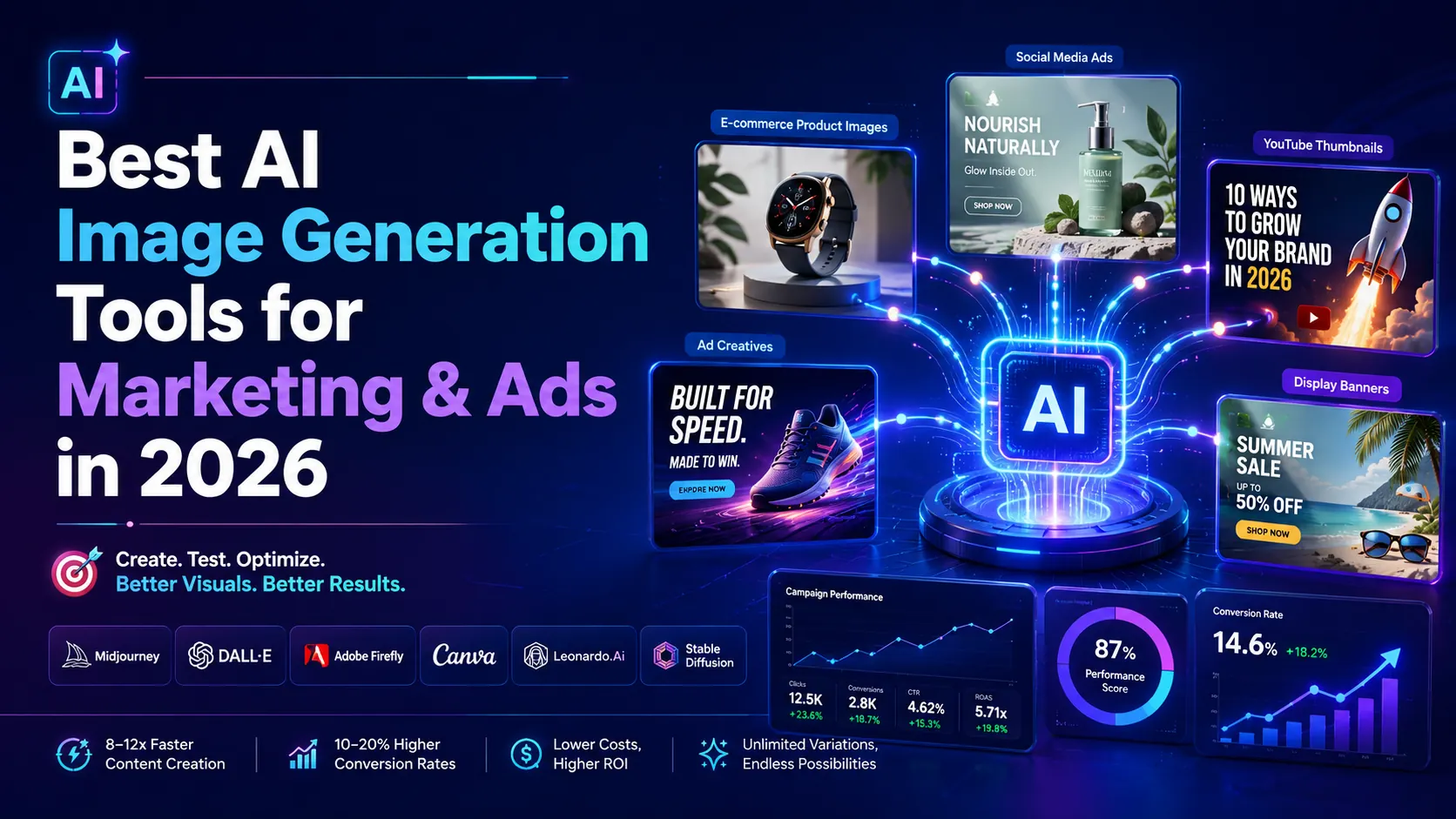
- Market size: The AI image generation market is projected to exceed $1.8 billion in 2026, growing at a CAGR of over 17%
- Business adoption: 71% of businesses are already using AI tools in some workflow — up from 55% in 2024
- Marketer intent: 94% of marketers plan to use AI-generated content this year
- Sales impact: Brands using AI-powered visuals in campaigns report a 10–20% increase in sales conversion
- India adoption: Indian D2C and e-commerce brands have seen some of the fastest AI creative adoption globally — particularly in fashion, food, and personal care categories
- Speed advantage: AI-generated images are produced 8–12x faster than traditional design workflows
These aren't vanity stats. They reflect a real structural shift in how marketing teams operate — and the businesses that adapt early are building a durable creative advantage over those still stuck in traditional production cycles.
Industry adoption data aligns with broader AI trends reported in the McKinsey Global Survey on AI adoption.
Why Marketers Use AI Image Tools
Speed is the obvious answer. But the deeper reason is leverage.
In 2026, the real advantage of AI image generation isn't the ability to create one perfect image—it's the ability to produce 50 "good enough" variations for testing.
Marketing performance now follows a data-driven path: generate volume, test across audiences, and double down on what works. Don't let the pursuit of a single pixel-perfect visual stop you from high-frequency testing. Speed to market is the new high-quality.
Faster content creation means more campaigns tested, more variations published, and more data collected — all without proportional increases in cost or headcount.
Cost reduction is significant. A single professional product photoshoot can run $1,500–$5,000. AI tools replace that cost entirely for many standard use cases — product mockups, lifestyle backgrounds, social creatives — at a fraction of the price.
Unlimited creative variations change how you approach testing. Instead of committing to one creative direction per campaign, you can generate 10 variations, run them simultaneously, and let performance data tell you what resonates. That's a fundamental upgrade to how paid media works.
Personalization at scale is where it gets powerful. AI tools let you adapt visuals to different audience segments, seasonal contexts, or regional markets — without redesigning from scratch each time. What used to require a full design sprint now takes an afternoon.
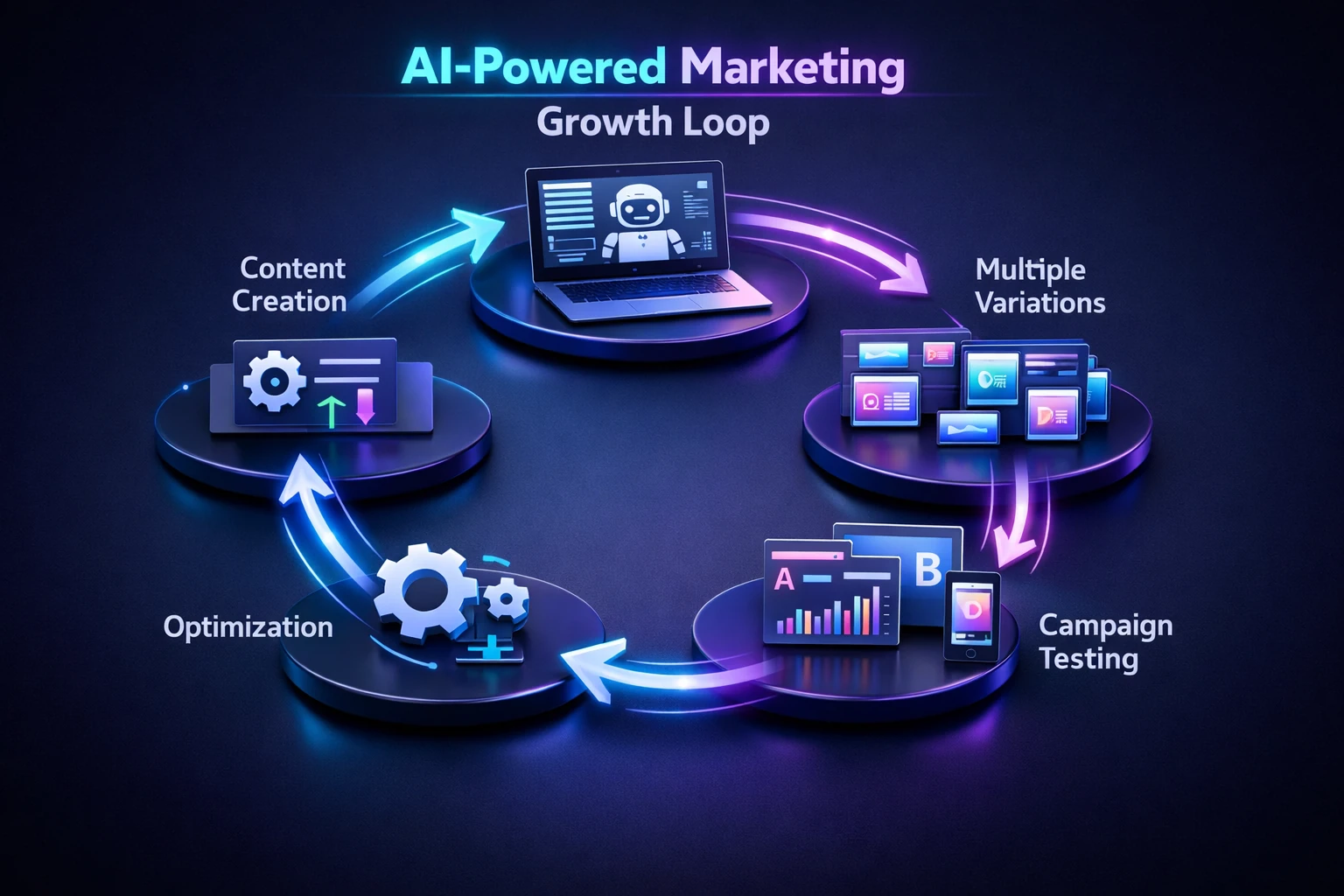
The AI Feedback Cycle: How automated content creation leads to massive variation testing, allowing for real-time campaign optimization and performance growth.
Use Cases of AI Image Generation in Marketing
Social Media Ads
Social ads live and die by the thumb-stop. If your visual doesn't interrupt the scroll in the first half-second, it doesn't exist.
AI image tools let you generate multiple creative hooks quickly — different color treatments, different visual styles, different emotional tones — and test them in the market. Teams using this approach typically identify their best-performing creative within the first week of a campaign, rather than committing to one direction and hoping for the best.
YouTube Thumbnails
Thumbnails are one of the highest-leverage design assets in digital marketing. A compelling thumbnail can double your click-through rate on the same video.
AI tools make it practical to A/B test thumbnails the same way you'd test ad copy — quickly, cheaply, and based on real data. Tools like Midjourney and DALL·E are particularly strong here, producing bold, high-contrast visuals that perform well at small display sizes.
Display Advertising
Banner ads require consistent creative refresh. The same banner fatigues audiences within days. Most small teams can't keep up with that production demand manually.
AI image generation solves this directly. You can produce an entire set of size-adapted, visually varied banner creatives in an afternoon — keeping campaigns fresh and reducing creative fatigue without burning out your design team.
Teams combining AI-generated banners with automated campaign workflows often see faster testing cycles and lower creative fatigue. You can explore this further in our guide on AI Workflow Automation Tools for Businesses.
E-commerce Product Images
This is where AI image tools are having the most disruptive impact on Indian D2C brands. Product photography that used to require a studio setup — proper lighting, backdrops, a photographer — can now be approximated using AI tools that place products against clean backgrounds, lifestyle settings, or seasonal themes.
It's not a complete replacement for premium product photography. But for social content, ads, and secondary product listings, the quality is more than sufficient — and the cost savings are enormous.
Branding and Creative Assets
Logo concepts, mood boards, hero images for landing pages, social media banners — AI tools dramatically reduce the time it takes to explore creative directions. For early-stage brands or lean teams without in-house design, this is a genuine game-changer.
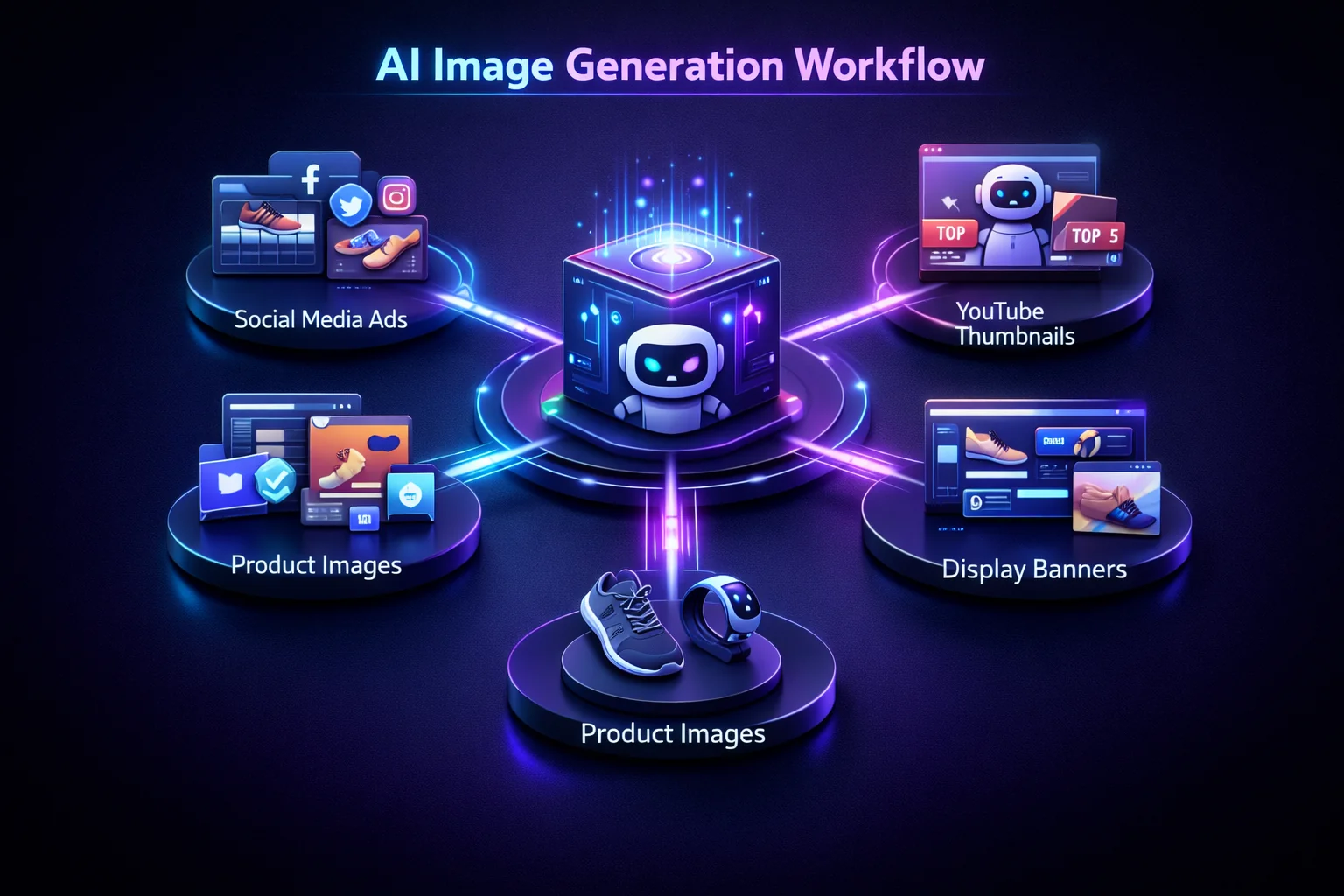
Integrated Asset Production: A single AI workflow capable of generating platform-specific creative assets—from high-converting social ads to detailed product photography.
Best AI Image Generation Tools for Marketing (2026)
All pricing reflects official starter plans as of April 2026. Free tiers are noted where available.
1.Midjourney — Best Overall for Marketing Creative
Midjourney produces the highest-quality AI-generated images available to non-technical teams. The visual output is cinematic, detailed, and stylistically versatile — capable of producing everything from photorealistic product mockups to editorial illustration styles.
It operates through Discord, which feels unconventional at first. But once you've spent a few sessions learning the prompt structure, it becomes intuitive fast.
In our own content workflow at TechAiGoz, AI-generated marketing visuals reduced creative production time from several hours to under 30 minutes for social campaigns and blog assets.
Key Features:
- Photorealistic and artistic image generation from text prompts
- Detailed style control (lighting, composition, aspect ratio, aesthetic reference)
- V6 model delivers the strongest quality in its class
- Strong community with shared prompts and style references
Pricing: From $10/month (Basic), $30/month (Standard), $60/month (Pro)
Pros:
- Consistently the highest output quality for marketing creative
- Versatile across industries and visual styles
- Active community makes learning faster
Cons:
- Discord-based interface — not as intuitive as browser tools
- Commercial rights vary by plan — verify before using in paid campaigns
- No direct design editor; output requires finishing in another tool
Best For: Marketers who need premium-quality visual assets for brand campaigns, ad creative, and content marketing.
2.DALL·E — Best for Content Teams
DALL·E (now integrated into ChatGPT and the OpenAI API) is the most accessible high-quality image generation tool for teams already embedded in the OpenAI ecosystem. It produces clean, commercially usable images and integrates naturally into text-based content workflows.
The images won't always match Midjourney's artistic ceiling — but they're fast, safe, and easy to iterate on without leaving your existing tools.
Key Features:
- Native integration with ChatGPT — generate images mid-conversation
- Strong at photorealistic product and concept visuals
- Edits via inpainting (modify specific regions of an existing image)
- API access for teams building automated content pipelines
Pricing: Included with ChatGPT Plus ($20/month); API pricing by usage
Pros:
- Seamless workflow integration for teams using ChatGPT
- Fast iteration — refine through conversation, not prompt rewrites
- API access enables automation at scale
Cons:
- Creative ceiling is slightly below Midjourney for brand-level work
- Output style can feel slightly clinical in some categories
- Limited style customization compared to Stable Diffusion
Best For: Content teams, SEO teams, and marketers who want fast, reliable image generation within an existing ChatGPT workflow.
3.Stable Diffusion — Best for Customization
Stable Diffusion is the open-source image generation model — and for teams with technical capability, it's the most powerful and flexible option available. You can run it locally, fine-tune it on your brand's visual style, and generate images with no usage limits or per-generation fees.
The learning curve is real. But the ceiling is also the highest in this category.
Key Features:
- Open-source, self-hostable — no per-image fees at scale
- Fine-tuning capability: train the model on your brand's visual style
- Extensive plugin ecosystem (ControlNet, LoRA, img2img)
- Available via hosted platforms (Automatic1111, ComfyUI) for non-technical users
Pricing: Free (self-hosted); hosted versions from $10/month
Pros:
- Unlimited customization — fine-tune to match your exact brand aesthetic
- No commercial licensing restrictions on most model variants
- Strongest community of developers and power users
Cons:
- Significant setup complexity for self-hosted versions
- Requires technical knowledge to unlock full capability
- Quality is highly dependent on prompt skill and model selection
Best For: Marketing teams with technical resources who need fully customized, brand-consistent image generation at scale.
4.Adobe Firefly — Best for Commercial Safety
If you're producing images for paid campaigns, licensed content, or any context where copyright exposure is a real concern, Adobe Firefly is the safest choice in this list.
Firefly is trained exclusively on licensed and public domain imagery — meaning every output is commercially safe by design. It integrates directly into Photoshop and Express, making it the natural choice for teams already working in the Adobe ecosystem.
Key Features:
- Trained on licensed content — commercial use safe out of the box
- Deep Photoshop integration (Generative Fill, text-to-image within existing designs)
- Adobe Express integration for quick social and ad creative
- Consistent brand style alignment tools
Pricing: Included with Adobe Creative Cloud plans (from $59.99/month); standalone plan from $4.99/month
Pros:
- The most legally defensible AI image tool for commercial campaigns
- Seamless integration into existing design workflows
- High-quality output for product and lifestyle imagery
Cons:
- Creative range is somewhat narrower than Midjourney
- Full value requires Adobe Creative Cloud investment
- Less community-driven prompt sharing than other tools
Best For: Brands, agencies, and in-house teams producing content for paid media who need clear commercial licensing terms.
5.Canva AI — Best for Beginners
If you've never generated an AI image before and you want results today, start with Canva. The AI image generation is built directly into the design canvas — you generate, resize, adjust text, and export in the same tool, with no context-switching required.
The output quality won't compete with Midjourney or Firefly at the top end. But for social posts, basic ad creative, presentation visuals, and everyday marketing content, it's more than sufficient — and the speed advantage for non-designers is significant.
Key Features:
- Text-to-image generation inside the Canva design canvas
- Magic Media suite: text-to-image, text-to-video, background removal
- 1,000+ AI-integrated templates for social, ads, and email
- Collaboration tools for team content workflows
Pricing: Free plan available; Canva Pro from $15/month
Pros:
- The most beginner-accessible tool in this list
- All-in-one: design, image generation, and publishing in one place
- Free tier makes it genuinely usable before committing
Cons:
- Image generation quality has a lower ceiling than dedicated tools
- Limited fine-tuning for brand-specific visual styles
- Less powerful for technically complex or photorealistic output
Best For: Small business owners, solo marketers, and social media managers who need consistent visual content without a design background.
6.Leonardo AI — Best for Consistent Brand Visuals
Leonardo AI sits between the beginner accessibility of Canva and the power of Stable Diffusion. It offers fine-tuning capability, model selection, and detailed prompt controls — all inside a clean browser interface that doesn't require technical setup.
For marketing teams who need visual consistency across a campaign — same style, same character design, same aesthetic — Leonardo's fine-tuning and "Image Guidance" features deliver results that most other tools can't match out of the box.
Key Features:
- Multiple model options — photorealistic, artistic, 3D, and more
- Fine-tuning on custom datasets (brand visuals, product images)
- Image-to-image generation for style-consistent variations
- Canvas editor for layout and composition adjustments
Pricing: Free tier available (150 tokens/day); paid plans from $12/month
Pros:
- Strong consistency for campaign visual series
- Browser-based — no local setup required
- Generous free tier for testing
Cons:
- Token-based system can feel limiting on intensive projects
- Learning curve for advanced features (fine-tuning, ControlNet)
- Output quality varies by model selection
Best For: Marketing teams producing visual series, campaign creative, and brand-consistent imagery who need more control than Canva without the complexity of Stable Diffusion.
7.getimg.ai — Best for Multi-Format Creative in One Workspace
getimg.ai is an all-in-one AI creative platform for generating and editing images and video, plus creating music, speech, and sound effects — all from a single paid subscription. Instead of juggling separate tools, re-uploading files between steps, and paying for multiple subscriptions, the workflow stays in one place: describe what you need in plain language, and the platform picks a fitting model for the task automatically (manual model selection is also available if you want more control). Every generation or edit creates a new file rather than overwriting the original.
Founded in 2022 and based in Warsaw, Poland, getimg.ai has been building on top of AI image models since the early Stable Diffusion era, and now spans dozens of leading models from providers including Black Forest Labs (FLUX), OpenAI (GPT Image), Google (Nano Banana, Veo), ByteDance (Seedream, Seedance), xAI (Grok Imagine), Alibaba (Qwen, Wan), Kling, and ElevenLabs for audio.
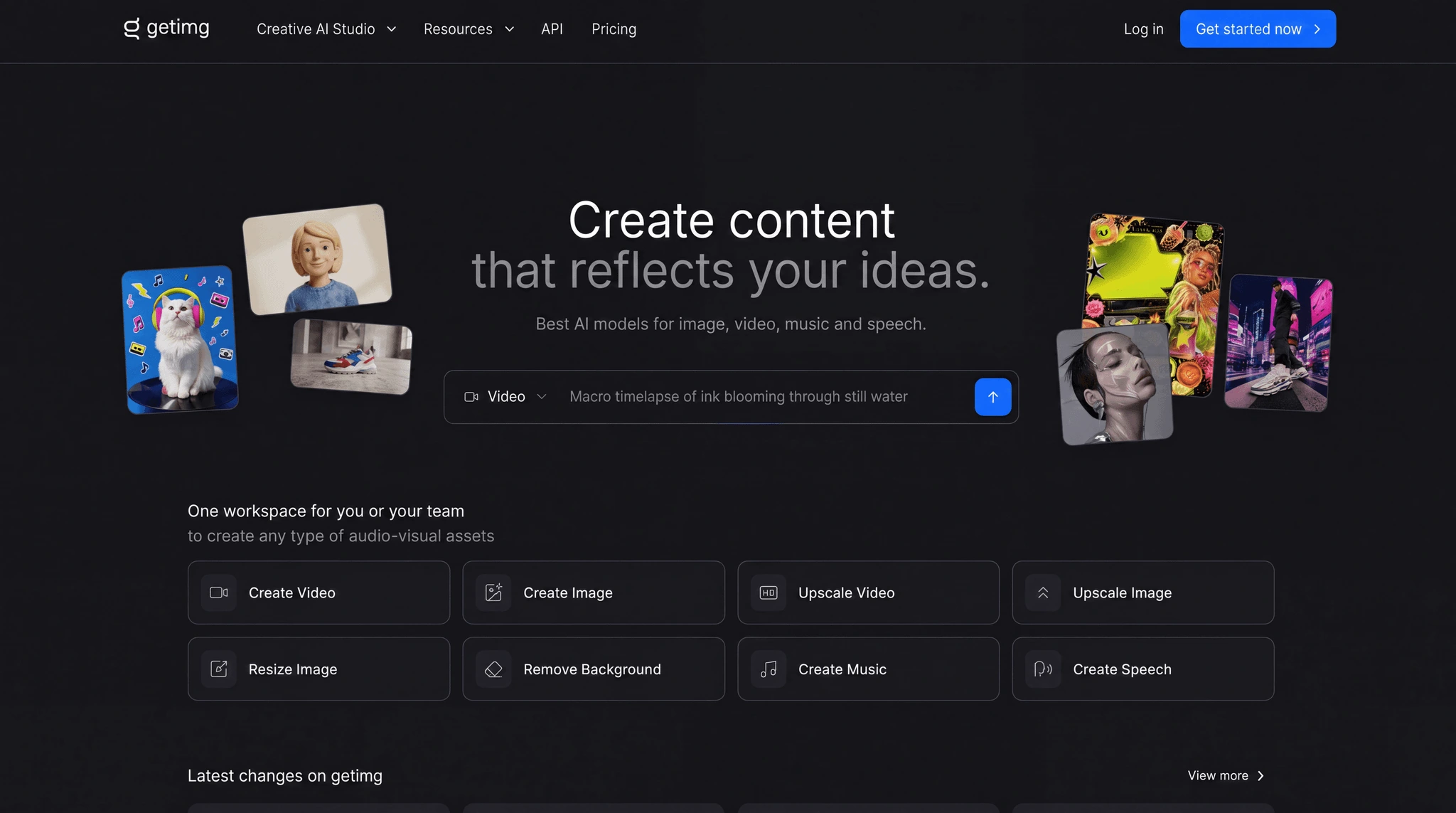
getimg.ai's Creative AI Studio brings image, video, music, and speech generation into one workspace.
Key Features:
- Image generation from natural-language prompts, with automatic prompt enhancement and support for multiple reference images per generation; batch sizes from 1 up to 16 images
- Video generation with first-frame, last-frame, and reference-image control; several models support native audio (dialogue, music, sound effects) generated along with the clip
- Elements — save a person, product, or visual style once (from up to 20 reference photos) and reuse it by name (e.g.
@BrandStyleor@ProductName) in any future prompt, so the same subject or aesthetic carries across a whole campaign without re-uploading references each time - Built-in image editing: add, remove, or change objects; swap or remove backgrounds; relight and recolor; restore and colorize old or damaged photos — all without a separate editor
- One-click background removal with transparent output, including batch processing
- Smart Resize (regenerates the image at a new aspect ratio) and Outpainting (extends the canvas while preserving the original pixels), across nine supported aspect ratios
- Image upscaling up to 16K depending on plan and model; video upscaling to 1080p or 4K
- Music generation (instrumental or with lyrics, multiple languages), text-to-speech (30 voices — 15 male, 15 female — with inline tone/pace/emotion direction), and sound-effect generation
- Folder-based project organization for everyone, with shared Teams workspaces on Core plans and above
- A separate, pay-as-you-go API (not included in the subscription) for teams building generation or editing into their own products
- Prompts are supported in 20+ languages
Use Cases:
- Marketing and ad creative — static images, video, and audio — produced at scale
- Product photography: placing the same product consistently across different backgrounds and scenes
- Social content adapted across formats (square posts, Stories/Reels, YouTube thumbnails)
- Keeping a brand style or a recurring character/spokesperson consistent across a campaign or product catalog, via Elements
- Turning a script into a finished video ad complete with voiceover, music, and sound effects
- Localizing a campaign into multiple languages — same visuals, translated voiceover
- Restoring and colorizing old or damaged photos
- Preparing artwork for print and large-format use (posters, packaging) at high resolution, using the upscaling tools
- Adding image or video generation into your own product or content pipeline through the API
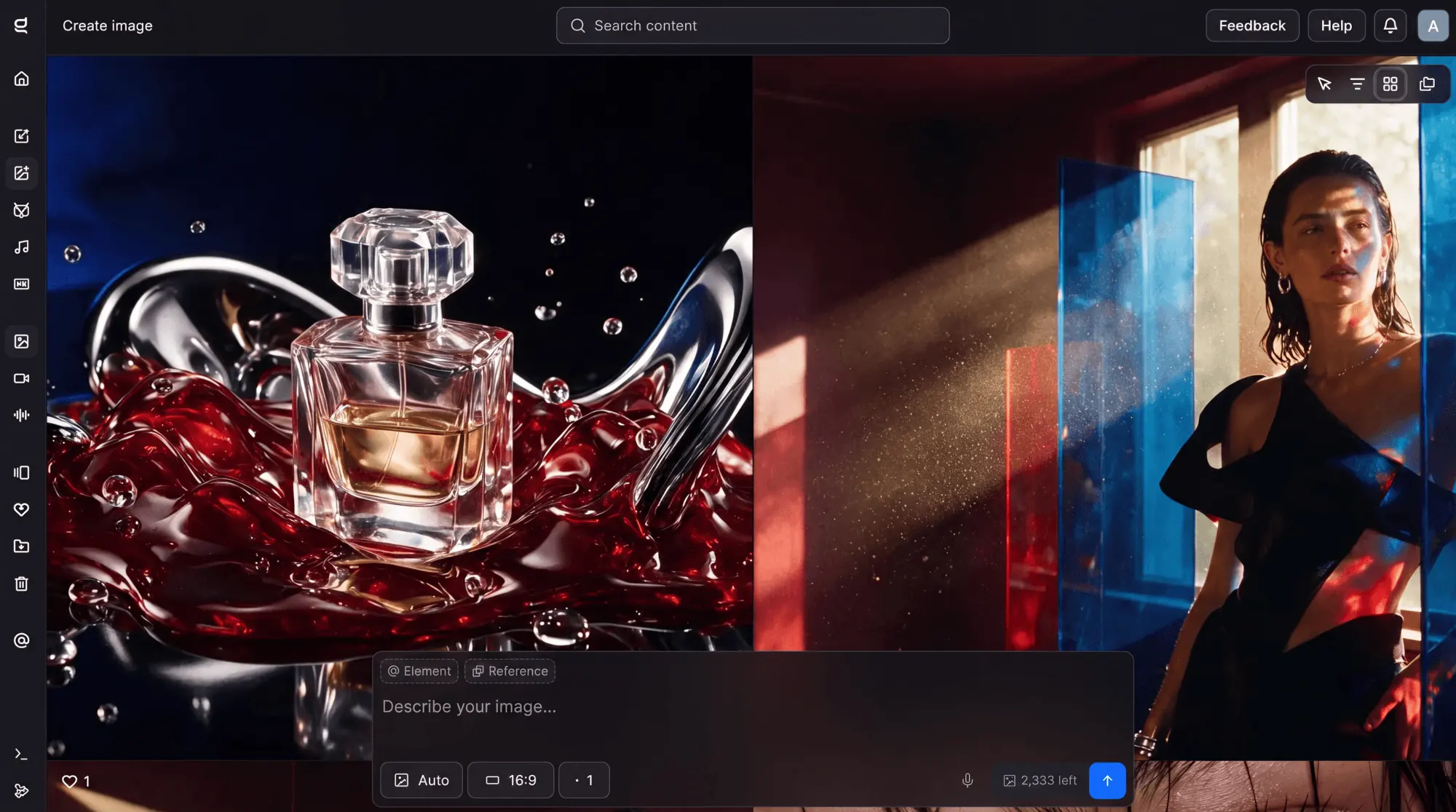
Product and campaign visuals generated inside the getimg.ai workspace.
Who It's For:
- Marketing teams and agencies producing visual, video, and audio content regularly, who want shared Teams workspaces, folder organization, and commercial rights included
- Individual creators — photographers, designers, social content creators — who want image, video, and audio generation without separate subscriptions for each
- Developers and product teams who want to add generation or editing into their own app or workflow via the pay-as-you-go API (a subscription isn't required for API access)
Current Pricing (US rates, excl. tax, per seat — no free plan or trial):
| Plan | Monthly | Annual | Credits/month | Teams |
|---|---|---|---|---|
| Entry | $10/mo | $8/mo ($96/yr) | 3,000 | Personal use |
| Core | $30/seat/mo | $25/seat/mo ($300/yr) | 15,000/seat | Up to 2 |
| Plus | $65/seat/mo | $55/seat/mo ($660/yr) | 35,000/seat | Up to 5 |
| Ultra | $175/seat/mo | $150/seat/mo ($1,800/yr) | 100,000/seat | Up to 10 |
Pricing may change over time. Refer to the official getimg.ai website for the latest plans.
- All paid plans include commercial rights, music and speech generation, and the smart image resizer.
- Model access is tiered: Entry includes 11 image and 9 video models; Core, Plus, and Ultra include the full current model catalog.
- Image upscaling resolution scales by plan: 4K on Entry, 8K on Core, 16K on Plus and Ultra.
- Plus and Ultra can purchase top-up credits once usage drops below 10% of the month's allowance; unused credits don't roll over.
- The API is billed separately, pay-as-you-go, and isn't included in any subscription.
- Accepted payment methods: major credit/debit cards, PayPal, Apple Pay, Google Pay.
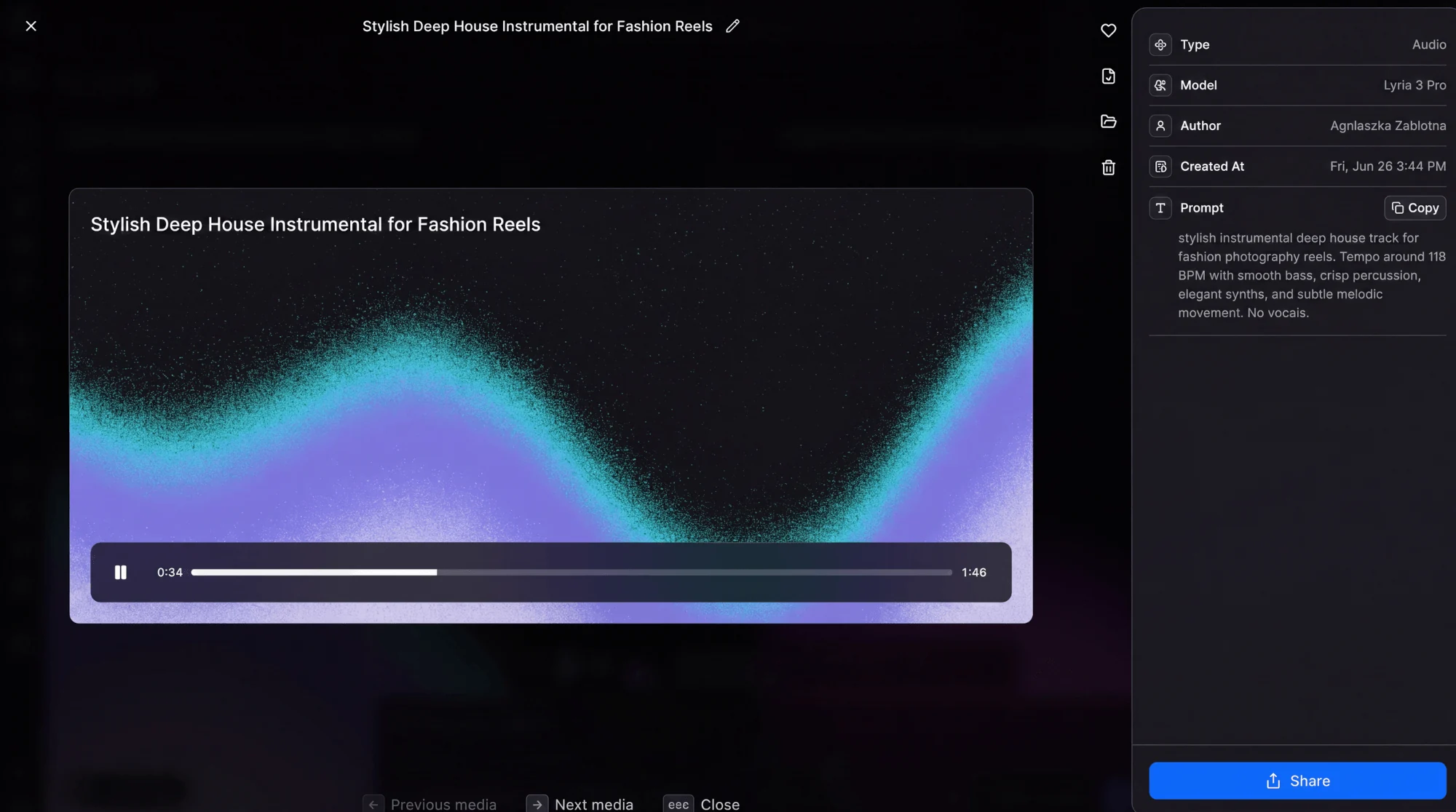
Original background music generated inside getimg.ai using the Lyria 3 Pro model.
Pros:
- Commercial rights are included from the entry-level $8/month plan rather than gated behind a higher or enterprise tier
- One subscription covers image, video, voice, and music generation plus editing, reducing the number of separate tools and bills a team manages
- New models are added to the catalog as they're released, without requiring the user to evaluate or switch between providers manually
- Elements offers a practical way to keep a character, product, or brand style consistent across a full set of campaign assets
- Output resolution (up to 16K upscaling) is high enough for print use, not just web/social
Cons:
- No free plan or trial — you commit to a paid plan before testing with your own account and assets
- The entry-level plan has a narrower model selection (11 image / 9 video models) than Core and above
- API access is a separate, pay-as-you-go product not bundled into the subscription, which is an extra line item for teams that want both the app and programmatic access
- As with any multi-model platform, style and quality will vary depending on which underlying model handles a given generation
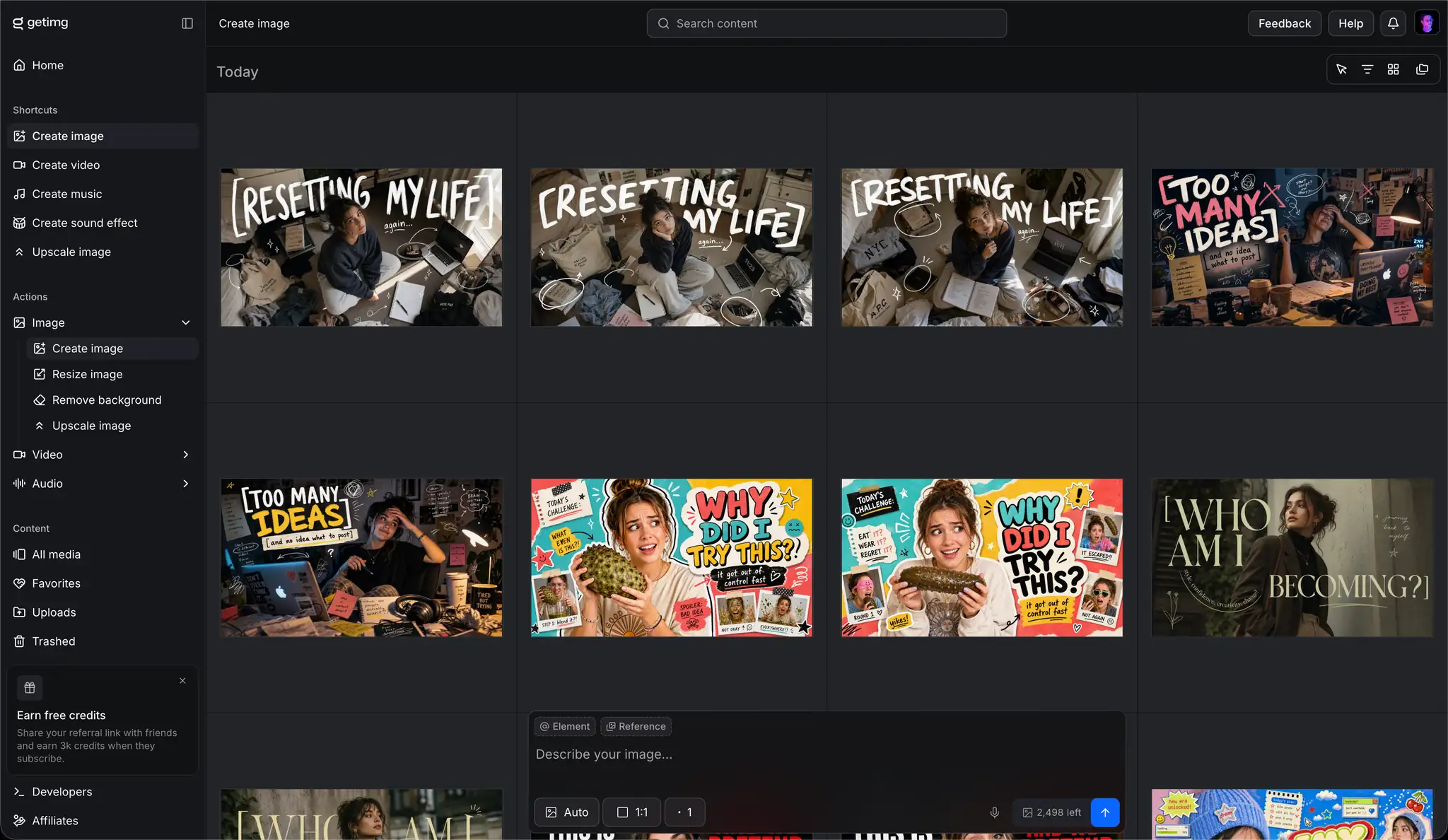
A getimg.ai workspace grid of trend-style social captions generated for social media content.
Best For: Marketing teams and agencies that want image, video, and audio asset production — plus editing and campaign-consistency tools — in one subscription, instead of separate apps for each media type.
Editorial Note: This is a sponsored inclusion. I reviewed getimg.ai's current product information and features to assess its relevance to our readers. Sponsored partnerships do not influence our editorial standards or recommendations.
Comparison Table
| Tool | Best For | Starting Price | Image Quality | Ease of Use | Commercial Rights |
|---|---|---|---|---|---|
| Midjourney | Brand & ad creative | $10/month | ⭐⭐⭐⭐⭐ | Moderate | Plan-dependent |
| DALL·E | Content teams | $20/month (ChatGPT Plus) | ⭐⭐⭐⭐ | Easy | Yes |
| Stable Diffusion | Full customization | Free (self-hosted) | ⭐⭐⭐⭐⭐ | Advanced | Yes (most models) |
| Adobe Firefly | Commercial safety | $4.99/month | ⭐⭐⭐⭐ | Easy | Yes (licensed) |
| Canva AI | Beginners | Free / $15/month | ⭐⭐⭐ | Very Easy | Yes |
| Leonardo AI | Consistent brand visuals | Free / $12/month | ⭐⭐⭐⭐ | Moderate | Yes |
| getimg.ai | Multi-format workspace (image, video, audio) | $10/month ($8/month billed yearly) | ⭐⭐⭐⭐ | Easy | Yes |
→ Not sure which tool fits your business? Use our AI Tool Selector to get a personalized recommendation in under 30 seconds.
How to Choose the Right AI Image Tool
There's no single best tool — only the best tool for your situation. Here's how to cut through the noise and make the right call.
Budget first. If you're under $20/month, Canva AI or Leonardo's free tier will handle most standard marketing needs. For teams publishing significant paid campaign volume, the investment in Midjourney or Firefly pays back quickly in reduced design costs.
Skill level matters. If you're not a designer and don't want to become one, stick with Canva or DALL·E. If you have some technical capability and want maximum output quality, Midjourney or Leonardo offer a meaningful upgrade. If you have a developer on the team, Stable Diffusion's customization potential is unmatched.
Your use case should drive the decision:
- Running paid ads? Prioritize Adobe Firefly for commercial safety or Midjourney for quality
- Producing social content at volume? Canva AI or Leonardo AI
- Building a consistent brand visual system? Leonardo AI or Stable Diffusion
- Integrated into a ChatGPT workflow? DALL·E
- Need image, video, and audio (voiceover, music) generated in one place? getimg.ai
Licensing requirements. This one matters more than most guides acknowledge. If you're running paid ads, sponsored posts, or any commercial campaign, verify that your chosen tool grants full commercial rights for the plan you're on. Adobe Firefly is the safest default here.
→ Before choosing a tool, it’s smart to map your actual workflow. Use our AI Implementation Checklist to identify where image generation fits into your marketing stack — from content planning to campaign execution.
Challenges and Limitations
AI image generation is genuinely powerful — but going in with clear eyes about its limitations will save you from costly mistakes.
Copyright and licensing risks are real. Many AI models were trained on web-scraped imagery, and the legal landscape around this is still evolving. For commercial campaigns, either use a tool with a verified commercial license (like Adobe Firefly) or consult your legal team before publishing AI-generated assets at scale.
AI bias in visual output is a documented problem. Many models default to specific cultural aesthetics, body types, and representation patterns that may not reflect your audience. Always review outputs critically — and be especially attentive for campaigns targeting diverse markets.
Quality inconsistency still exists, particularly for complex compositions, specific hand/face anatomy, and precise text rendering within images. AI tools are excellent at atmospheric and stylistic visuals; they're still inconsistent for technically precise product photography.
Over-reliance risk is subtle but worth naming. AI tools amplify your existing creative direction — they don't replace the need to have one. Teams that automate before they've clarified their brand voice and visual identity tend to produce high volumes of mediocre content, not high volumes of great content.
The legal landscape is still evolving, as outlined in the U.S. Copyright Office guidance on AI-generated content.
Future of AI Image Generation (2026 and Beyond)
The pace of improvement in this space is difficult to overstate.
Hyper-realistic image generation is approaching the point where AI visuals will be indistinguishable from photography in most marketing contexts. For product imagery, lifestyle content, and ad creative, this removes one of the last remaining quality gaps between AI and traditional production.
AI plus personalization is the next major unlock. Rather than generating a single image for a campaign, marketers will generate dynamically personalized visuals — adapted in real time to the viewer's location, behavior, and purchase history. The technology infrastructure is already being built.
Image-to-video integration is accelerating rapidly. The gap between generating a still image and generating a short video clip from that image is closing. Tools like Runway are already there for early adopters; broader platform integration will follow quickly.
The designer's role is evolving, not disappearing. The most in-demand creative professionals in 2026 aren't the ones who can produce faster — AI handles speed now. They're the ones who can direct AI output strategically: crafting precise prompts, maintaining visual coherence across campaigns, and making the creative judgments that separate good from great. That's a skill set worth developing.
Industry analysts at Gartner predict generative AI will become a standard component of enterprise marketing workflows over the next few years as brands shift toward automated creative production at scale.
Common Mistakes Marketers Make With AI Images
- Using AI-generated visuals without checking licensing terms
- Publishing the first generated image without testing variations
- Ignoring brand consistency across campaigns
- Over-editing prompts instead of testing multiple concepts
- Relying entirely on AI without human quality review
Final Verdict
The barrier between "I need a visual" and "I have a polished, campaign-ready image" has effectively disappeared in 2026.
What used to require a photographer, a studio, and a post-production workflow now takes ten minutes and a well-crafted prompt. That's not an exaggeration — it's the daily reality for marketers who've made the shift.
Here's the summary:
- Midjourney if you want the best quality for brand and ad creative
- Adobe Firefly if commercial licensing is a non-negotiable
- Canva AI if you're just getting started and need results today
- DALL·E if your team already lives in ChatGPT
- Stable Diffusion if you have technical resources and want full control
- Leonardo AI if visual consistency across a campaign series is your priority
- getimg.ai if you want image, video, and audio generation together in one subscription
Start with one tool that matches your current biggest bottleneck. Use it for 30 days. Measure the output quality, the time saved, and the performance impact on your campaigns. Then decide whether to add a second tool or go deeper with the one you have.
AI gives you speed. Speed gives you volume. Volume gives you data. And data — not production budget, not team size — is what drives sustainable marketing performance.
Pick your tool. Start generating. The results compound from there.